Category: Gutenberg
-
A little update: Our own Gutenberg blocks, a new theme and more

Since the new WordPress editor was released last December, lots of new improvements happened in the “Gutenberg editor world” and we finally feel ready to give you a little update on what we’ve been working on over the past weeks. Our themes are Gutenberg-ready In the first step we prepared…
-
The new WordPress Gutenberg “Group block” explained

It took a while, but it’s finally happening and I’m very excited that the new “group” block was added to the Gutenberg plugin version 5.5 a few days ago. The group block makes it possible to group multiple blocks together while adding some helpful features like background colour. At the…
-
New WordPress Gutenberg Editor Weekend Crash Courses – Register Now
Do you want to learn more about the new WordPress 5 Gutenberg editor? Perhaps you haven’t had the time to work with the new editor yet, but want to get started? Or you are in need of a helpful resource to teach your clients or staff how the new editor…
-
Text Formatting in the New Gutenberg Editor

The new Gutenberg Editor has many different ways to style text and format your content with ease. We have compiled a list of styling options that we have found helpful in using the new editor. Drop Cap A drop cap is an over-sized first letter of a paragraph. It drops…
-
How To Prepare Your Website For WordPress 5.0

If everything goes as planned WordPress 5.0 will be released today (December 6th) including the new Gutenberg editor and the new standard WordPress “Twenty Nineteen”. The update brings a number of big changes, particularly the new editor experience. Therefore it’s important to consider a few things before pushing the update…
-
Working with Images in Gutenberg
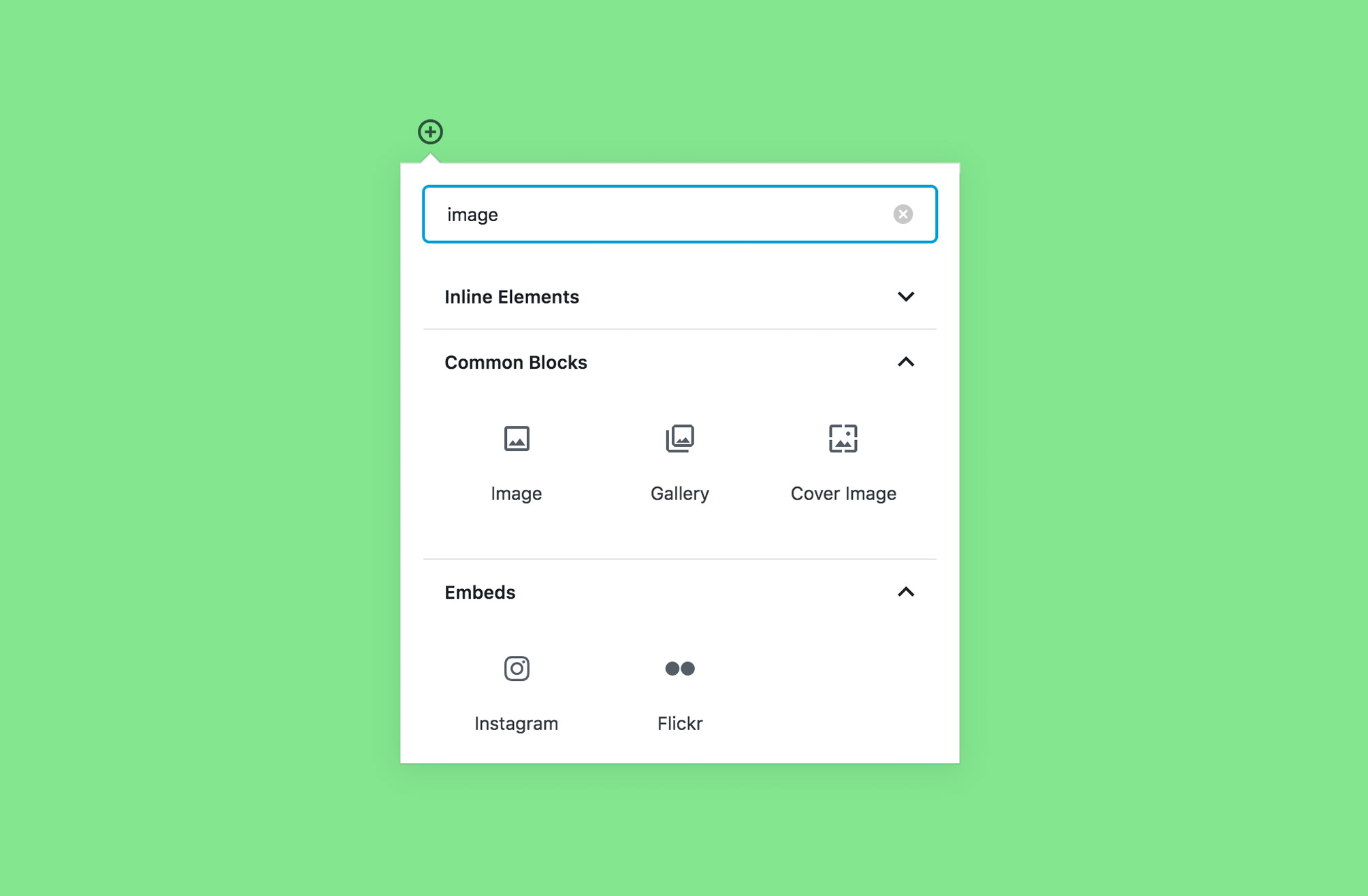
One of the cool features of the new Gutenberg editor is that it allows you to search for available block options (and there are a lot of them!). To find all image block options, click the add block icon and type images in the search bar. From there, you will…