SnugGrid is a small app for your Mac’s menu bar. With one key it puts your windows in tidy rows, with the same space between them. I built it for myself, because I have lots of terminals and browser windows open all day.
It’s free, open source and still in beta. So far I’ve only tested it on my own Mac with the newest macOS. You’ll find the download and everything else on the SnugGrid page. Let me know how it runs for you.
Are you creating a new website or making changes to an existing website? You might want to know more about Maintenance Mode plugins. You can install a Maintenance Mode plugin to prevent people from seeing your website content, while you are already working on the site at the same time. I chose to install WP…
So I don’t forget to recommend my new discovered tools, WordPress plugins and blog posts to you, here our hopefully helpful collection of this weeks highlights of the web. 1. Flat UI Colors Flat design is a huge web design trend right now and if you still need some color inspirations for your next flat…
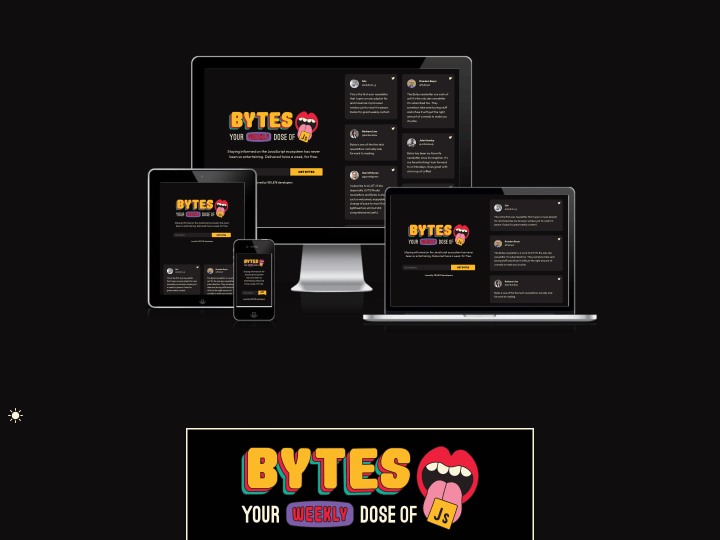
After I read the newest Responsive Design Newsletter by @justinavery this morning I had a little “aha moment”, because I never heard of his awesome side project Am I Responsive? until today. The screenshot tool lets you create helpful screenshot of your responsive website with just one click and it’s also a lot of fun to see your responsive webdesign appear in such a beautiful presentation.
The tool will show your responsive website in a desktop (1600x992px resolution), laptop (1280x802px), tablet (768x1024px) and mobile phone (320x480px) screen and you can even rearrange your setup by draging’n’droping the devices on the screen.
So “Am I Responsive?” is definitely bookmarked, since I think the tool is a beautiful way to create fast responsive website presentation screenshots and to get a first idea how your responsive web design will look on different devices.
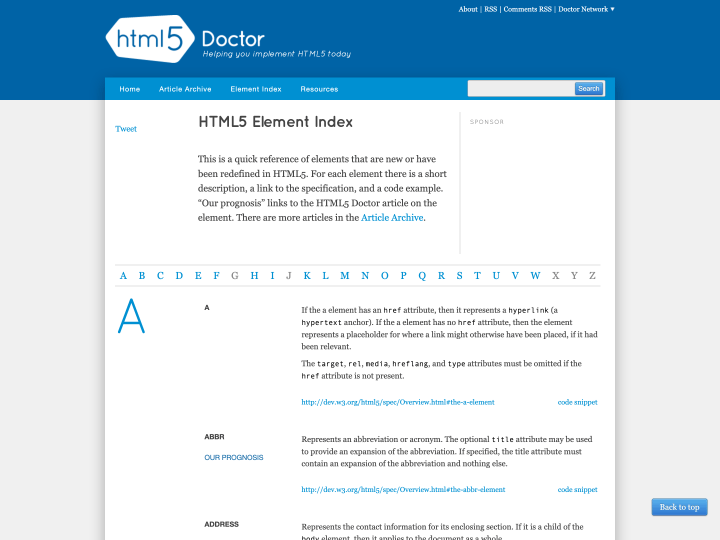
HTML5 Doctor offers a clear glossary of the most important new and revised HTML5 tags. For each tag you get a short description, a link to the matching W3C page and a handy example snippet. If you want to know more about an element, the link “Our Prognosis” takes you to a longer article. Since the descriptions are easy to follow and never overloaded, I find the glossary a practical reference for getting familiar with the new HTML5 elements.