
Last updated in August 2026. Checked on WordPress 7 and PHP 8, theme version 1.0.10.
View live demos
Download the theme
Enjoyed this? Then subscribe to the newsletter or follow us on YouTube. It costs nothing and helps more than anything. We have been at this since 2009, and we will keep going.Enjoyed this? Then follow us on YouTube. It costs nothing and helps more than anything. We have been at this since 2009, and we will keep going.
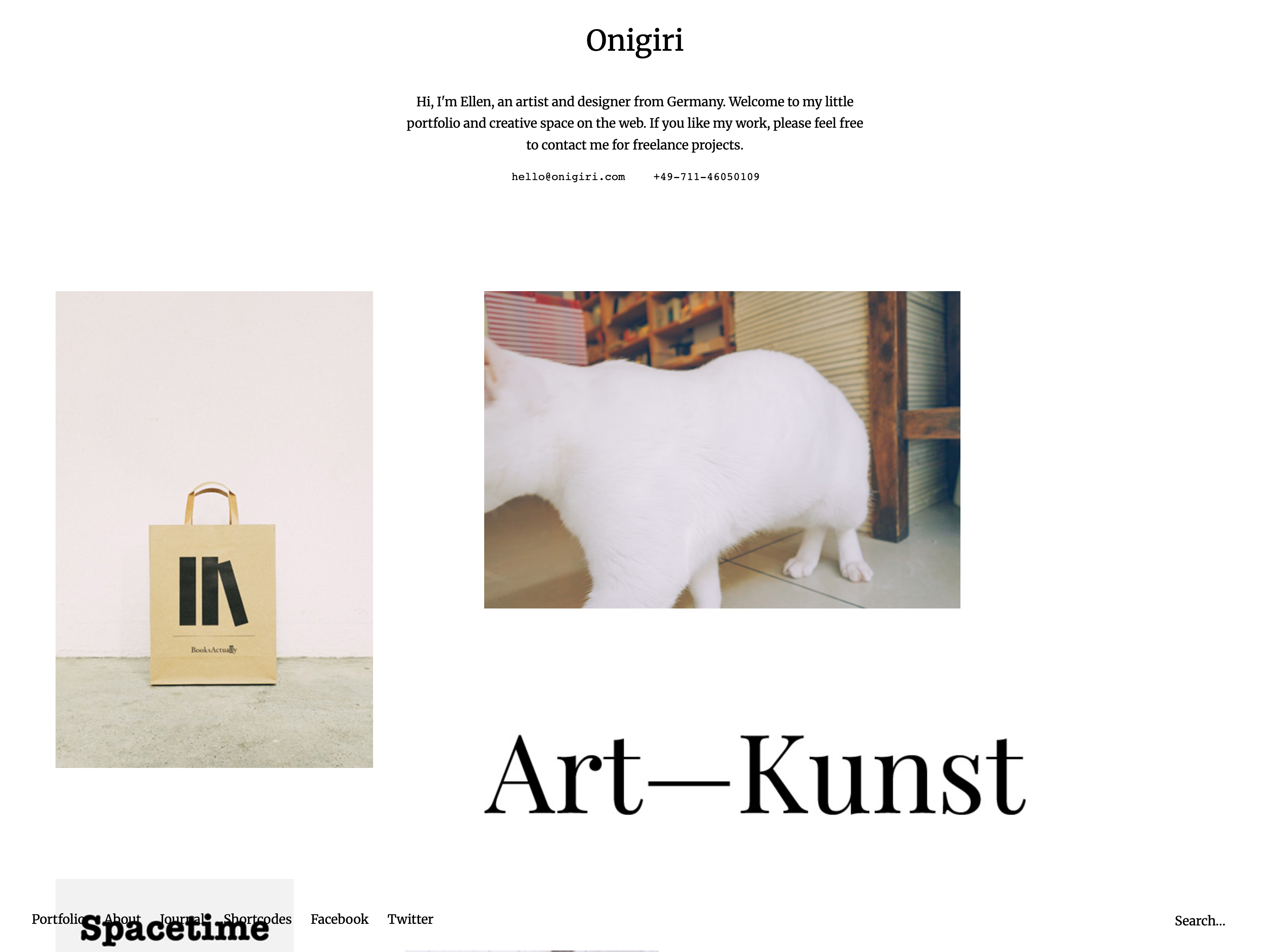
Onigiri is a portfolio theme for creative work, using Jetpack's portfolio projects, with a blog alongside for news or a journal. It is a classic theme, set up on its own options page.
The Onigiri Theme Overview
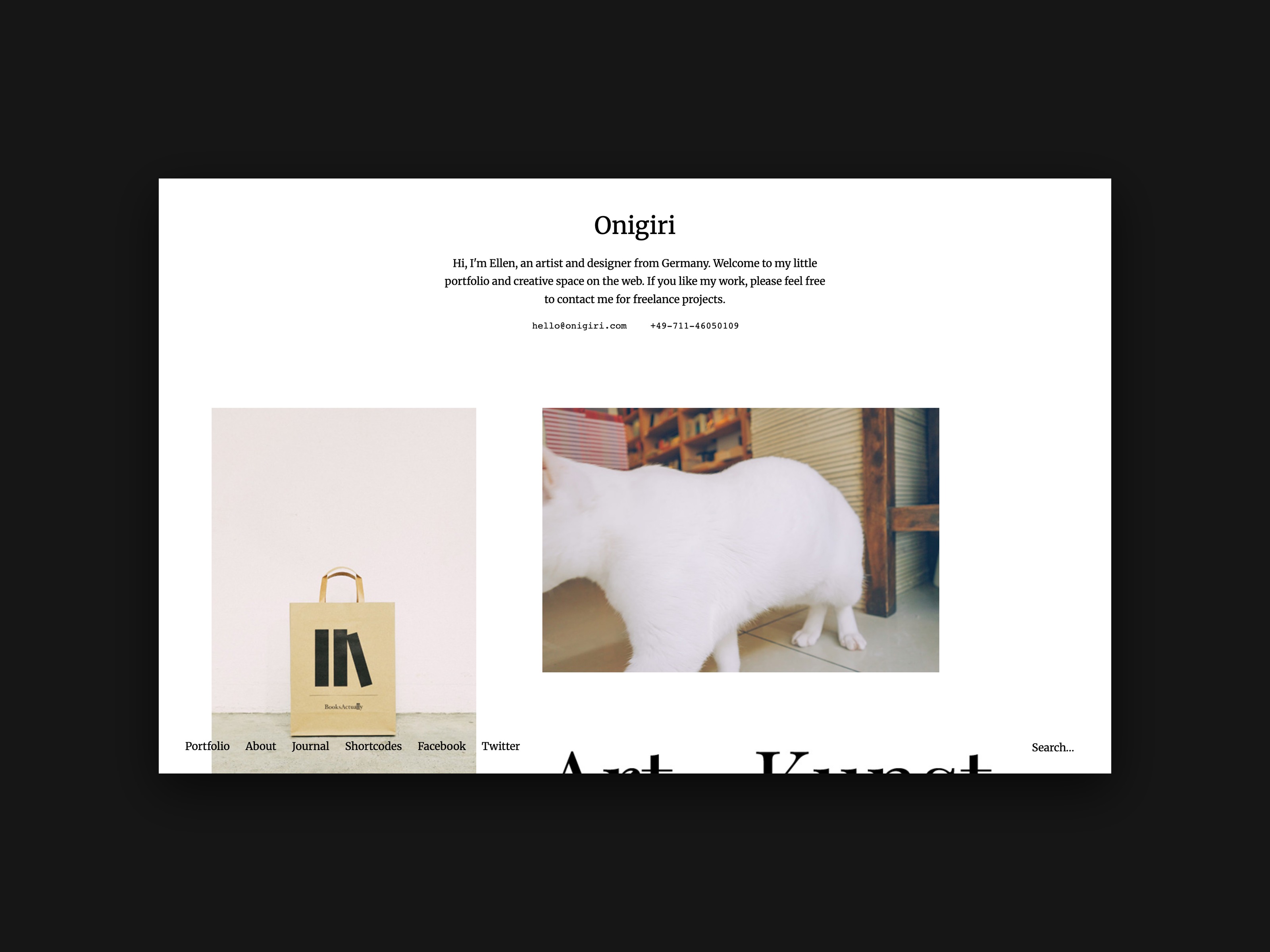
Today we are so happy to be able to introduce our newest Portfolio WordPress Theme to you. Onigiri (Live Demo) is a responsive Portfolio theme for designers, artists, photographers and other creatives, who want to present their work in a minimal, clean and arty way. Of course the theme also has a default WordPress blog option, so you are able to create a “Latest News” stream or write a small diary or online journal on your website.
The About page is one of the highlights in the theme, since you can create your own About page template and then choose an individual background and text color, just for your About page. You can also use shortcodes and special CSS classes to design your About page even further and individualize it to your needs. Onigiri also comes with additional theme options in the WordPress customizer. Here you can for instance add a header slogan and include your contact details in the header.
The Portfolio
To create the Portfolio in Onigiri you will need to install the free Jetpack WordPress plugin. This is extremely important, if you ever want to switch to another theme using the Jetpack Portfolio feature.

Portfolio projects in Onigiri
In the Onigiri theme you can create an arty, open grid layout on your portfolio front page by including your projects “Featured Images” in different image sizes.
On single project pages further projects will be included below your project content. This way your visitors can easily look through your portfolio. Project images and other content can be included with the maximum size of 1280 pixels, using an extra div container with the CSS class “wide-content”.
This way you will have lots of flexible options to feature your portfolio projects, artwork or pictures in your desired size.
About Page
Onigiri offers an elegant About page template, which gives you the option to choose an individual background and text color just for your About page. With the help of shortcodes and special CSS classes for text styles you can design your own, individual About page with a beautiful layout. You will find the color options for the About page under Appearance / Customizer / Colors.

Theme Options
You can find further theme options under Appearance / Customizer. E.g. here you can include a header slogan or intro text and include your contact details (like your email address or phone number) in the header. You can also choose to fix-position your logo image or website title and hide the search form. Of course you will also find further color options. You can also upload your own logo image under Appearance / Header.
Your Feedback
We hope you will love our new Portfolio theme and you have already some first ideas in mind on how to use it. We are looking forward to your feedback, your questions and suggestions for improvements.

10 comments
Excellent. Thanks for the updates.
Hello, i am very interested in buying the Suidobashi theme.
I have one concern that i would like you to address if possible. On the previews above the portfolio items are set out like a grid. but when I open the demo they are in 1 column. Is there a reason for this or is there options to change it?
Also is it possible to hide the logo at the bottom right or replace this with text ( for example click to return to top)
I hope everything I have written is clear enough for you.
Many Thanks
Allan
Replying to Allan
Hi Allan,
I’m happy that you like the Suidobashi theme. The theme has a single column view for the project overview page (the Front page using the Portfolio Page Template) and on the single project pages up to 10 further projects are automatically displayed in a grid layout. This gives you the option to present your work on the front page with big images (up to 960px width).
If you always a grid layout on the Portfolio front page, you might want to have a look at our Onigiri theme. Since you could also upload project thumbnails that all have the same image dimensions, you could also generate a more “ordered” grid view with the Onigiri theme.
Regarding the logo, yes, by default the title will display as a text (using a 24px font style).
Best, Ellen
Ahoi aus Hamburg,
Wir haben uns das Onigiri-Theme gekauft und versuchen nun vimeo-Videos einzubetten. Gibt es evtl einen Tip von eurer Seite wie wir die Videos größer bekommen? Muss ich zwangsläufig über Css gehen oder kann ich das auch individuell im html-Quelltext des jeweiligen Portfolio-Entrags ändern?
Support an dieser Stelle wäre grandios!
LG aus dem Norden,
Lisa
Hello Ellen,
I just bought your theme ‘onigiri’ and I am struggling to get the images to ‘float’ as you have on the demo. They all stay in one column only and I would like them to appear slightly more randomly and with different sizes. I had a look at all the different options in the wordpress menu but can’t find one that relates to the columns. Could you please help me? The website I am building is https://belezaatipica.wordpress.com. It doesn’t have the correct images yet as I am still finding out how it works.
Thank you for your help.
Best,
Luísa
Hallo Ellen,
ich hab euer Onigiri Thema gekauft, kann aber leider nicht die Funktion ‘Portfolio’ finden bzw. erscheint bei mir kein “Your Custom Content Types ” unter : Settings → Writing ?
Des Weiteren würde ich gern das copyright und ‘powered by..’ auf der Starseite ausblenden, könntet ihr mir sagen wo ich das machen kann ?
Vielen Dank !! echt ein schönes template :)
Hi Ellen
I have bought Onigiri and have a question re projects. I notice the last project I created appears always on top of the page. How do I rearrange projects? Can I back date some to make them appear further down the page?
Hi Ellen,
For quite a while I try to make the entry (post) title smaller in this part of the frontpage of the Zuki theme:
Widget ‘Frontpage Post Content 1’ – ‘Zuki: Recent Posts (Big 2)’.
Can you please help me out with this because I tried to change various parts of css code in my child theme but it still doesn’t work.
Thanks a lot for your help in advance.
Caspar.
Hi!
Oh I am desperately trying to buy and install the onigiri theme but i dont know how to “put it in” in the wordpress….I have a domain on one.com and I added wordpress so I use the same as you do in your tutorials but I cant get started because I really want to have onigiri and on wordpress under themes apearance it is not possible to buy premium themes…how can I install onigiri? Please please help! :))))
Love your stuff!!
Replying to natalia
Hi Natalia,
since you have a self-hosted WordPress website you can purchase Onigiri directly on our Website on the Onigiri theme page. The payment is via Paypal. After the successful payment you will receive an email from us including a download link to download the Ongiri theme folder. This file can then be uploaded to your WordPress website (in the Admin panel via Appearance / Themes / Upload Theme).
If case you experience any trouble with the upload, please let me know again and I can help you further.
Best, Ellen